Your shelf
One shelf for every book you read
Track what you’re reading by page or percent, rate in quarter stars, write a take, and let Stacked pick your next book.
· 3 min read
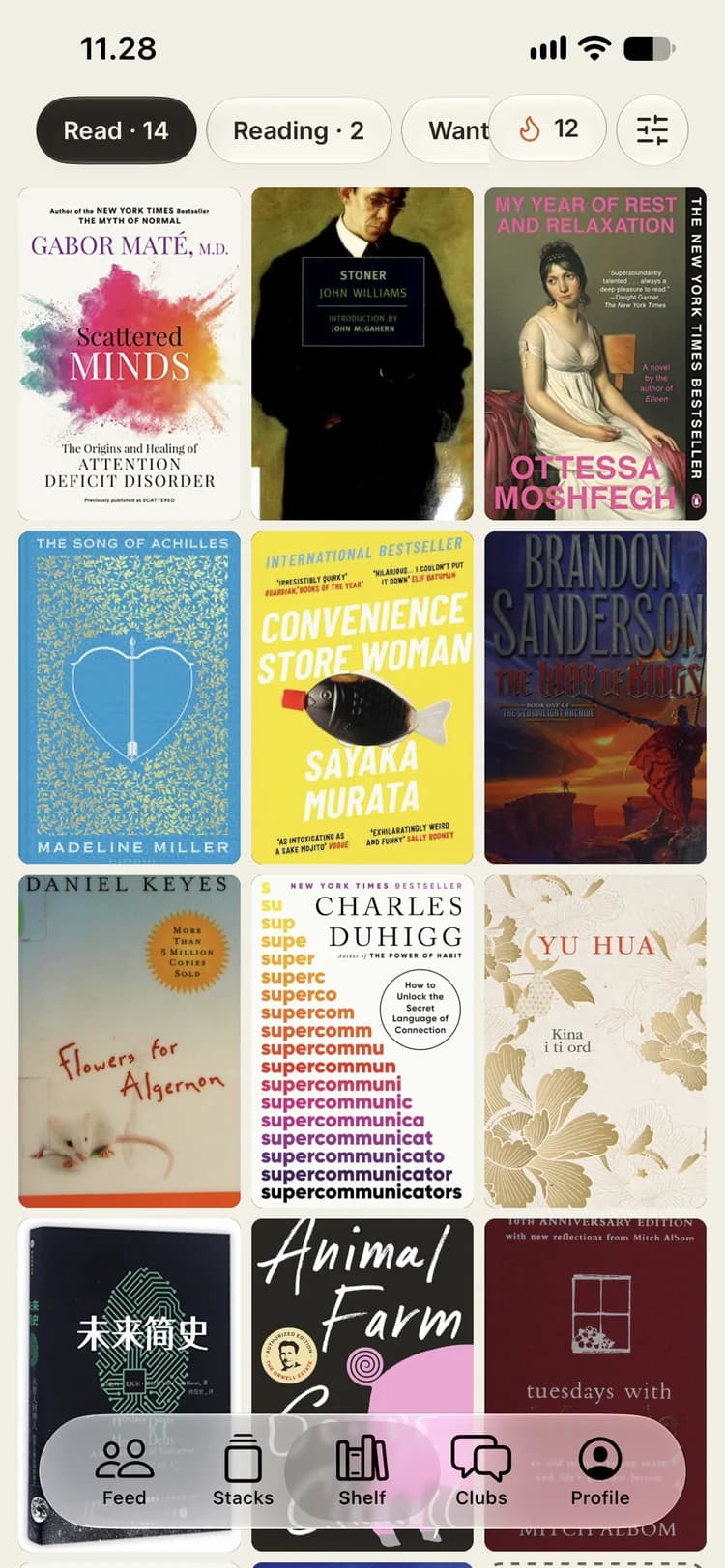
The shelf is the heart of Stacked. It’s where every book you’ve read, are reading or want to read lives, and everything else in the app — stacks, cards, clubs, goals — starts from it.
Four places a book can be
Every book on your shelf is in one of four states:
- Want to read — the pile you’re saving for later.
- Reading — what’s on your nightstand right now.
- Read — finished, with the date you finished it.
- Did not finish — because life is too short for the wrong book.
The filters at the top of the shelf show how many books sit in each, so you can jump straight to the ones you care about.
Adding books
There are three ways to fill the shelf:
- Search for any book by title, author or ISBN.
- Scan the barcode. Point your camera at the barcodes on the back of your books and add a whole shelf in one go. The scanner collects every book it sees in a tray, and you choose whether they go to Read, Reading or Want to read.
- Bring your Goodreads history. Link your profile or import your export — here’s how.
Keeping track as you read
While a book is on Reading, you can tell Stacked how far you’ve got, by page or by percent — whichever your edition or e-reader shows. When you reach the end, tap I finished it and the book moves to Read with today’s date.
Read something before you joined? Add the dates you remember. Every read counts toward your stats, and re-reads count too.
Ratings in quarter stars
Five stars is too blunt for most books. Stacked lets you rate in quarter stars, so the book that was nearly perfect can get a 4.75 instead of being rounded up or down. Ratings you bring over from Goodreads keep their value.
Write a take
A take is your short review: what you thought, what stayed with you, who you’d give it to. If it gives too much away, mark it as a spoiler and readers have to tap to reveal it. You can share a take as a link that anyone can open, even without the app.
Shelves of your own
Beyond the four built-in states, you can make your own shelves — book club, on loan, summer 2025, whatever you like. If you import from Goodreads, your custom Goodreads shelves come with you.
Make it look like yours
The display settings let you choose how many columns the shelf shows, tilt the covers a little, and give them a white border. Small things, but it’s your shelf.
Can’t decide what’s next?
Ask Stacked. Your next read picks a book at random from Want to read, with the books you’ve picked for a reading goal more likely to come up.
See the shelf on the Stacked site, or join the beta on TestFlight and start filling yours.