Book clubs
How to run a spoiler-free book club in Stacked
Checkpoints that open as each member reaches them, votes on the next book, and meet-ups in one place. Here’s how to set up a club that works.
· 3 min read
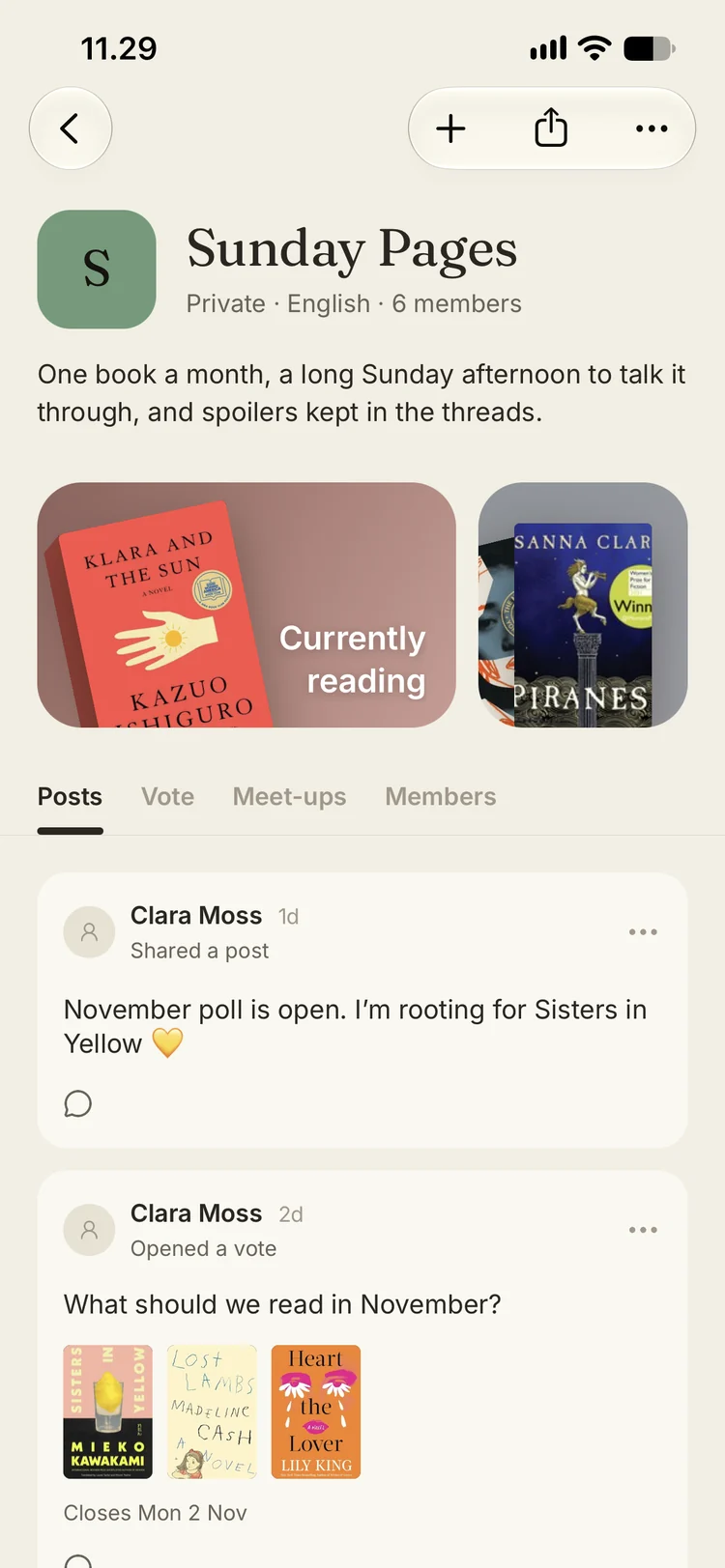
Every book club has the same problem. Someone races ahead, someone else is three chapters behind, and the group chat becomes a minefield. Stacked clubs are built around that problem: the conversation follows each member’s own progress, so nobody gets spoiled and nobody has to stay quiet.
Start a club
Give the club a name, a short description, a colour and a photo. You can add the language you read in, the genres you like, and a website or Instagram if the club has one.
Then decide who can join:
- Public clubs can be found by anyone searching for clubs by name.
- Private clubs are invite-only. Share the club’s invite link, and approve join requests as they come in.
As the owner, you can make other members moderators to help run things.
Pick the book and set checkpoints
Choose the club’s current book, then split it into checkpoints — by page or by percent, each with a name and a date. Part One by Sunday, halfway by the 15th, and a final checkpoint for the ending.
Each checkpoint has its own thread. A thread only opens for a member once their own progress has passed that point. If you’re on page 120, you can talk about everything up to page 120 and see nothing beyond it. Members who are ahead can say what they like in the later threads without ruining it for anyone.
Members tap Join on the club’s current book to put it on their own shelf. From then on, progress comes straight from that shelf, so there’s nothing extra to update: log your page as you normally would, and the next thread opens.
Vote on what’s next
When a book is nearly done, put a few candidates up for a vote with a closing date. Members vote from the club page, and when the vote closes everyone can see which book won.
Plan the meet-up
Add a meet-up with a time, a place and a note. If a café or bookshop is hosting you, add their website or Instagram so members can find them. Members get a reminder before you meet.
Keep the club talking between books
The club page has a board for everything that isn’t about the current chapter: photos from the last meet-up, a video, a book someone thinks the club should read next. Members can comment on any post.
The club also keeps its own history. Starting a book, finishing one, opening a vote and planning a meet-up all show up on the board automatically, and past reads stay on the club page.
Tips for a club that lasts
- Set checkpoints at natural breaks. Parts or sections work better than exact page numbers that land mid-scene.
- Leave slack in the dates. A week per checkpoint is comfortable for most groups.
- Keep the ending separate. A final checkpoint gives finishers a place to talk about the last pages freely.
- Vote early. Opening the vote a week before you finish gives everyone time to get the next book.
See book clubs on the Stacked site, or join the beta on TestFlight and start yours.